

Linked In
Behance
Resume
B2B | CaaS | Web & Mobile
The Problem
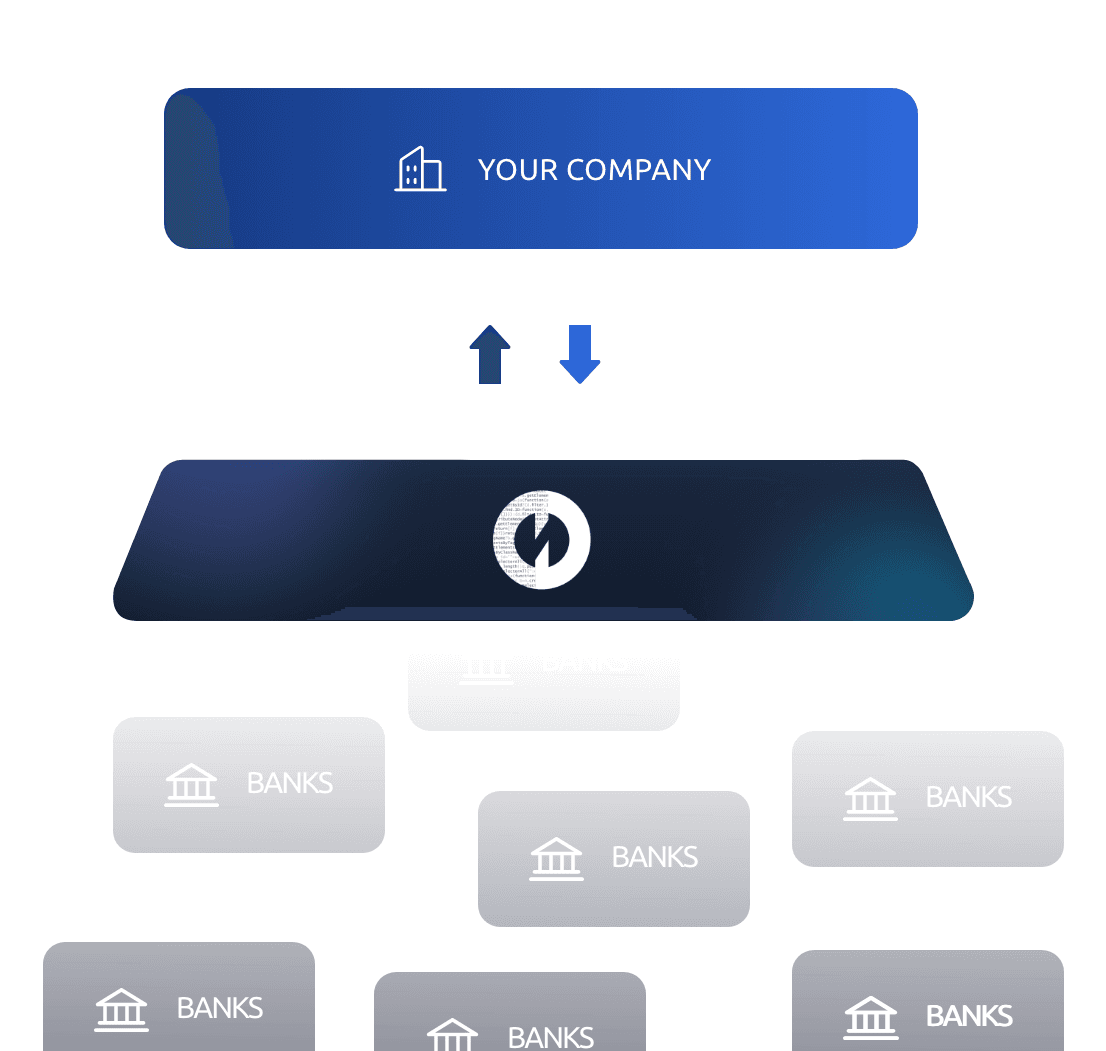
SMEs manage finances across fragmented tools. Omnify unifies banking, payments, cards, compliance, and insights into one embedded-finance platform, simplifying complex operations while maintaining trust, transparency, security, and control.
SMEs manage their finances around business operations, not banking products. Finance managers need to control employee spending, while business owners need quick visibility into available funds. However, these tasks are often spread across fragmented banking and financial tools.
The challenge was to create a unified experience that simplifies onboarding, financial management, spending, and payments without requiring deep financial expertise.
Regulatory Complexity
Simplify KYC, AML, risk screening, verification, and compliance workflows without overwhelming users.
Trust & Security
Help users confidently manage business funds, employee spending, vendor payments, and sensitive financial information.
Diverse User Needs
Support business owners, finance managers, accountants, and operations teams, each with different goals, responsibilities, and mental models.
How might we transform a banking dashboard into a unified financial operating system for SMEs?
Understanding SME Financial Workflows
How might we reduce onboarding friction without compromising compliance?
How might we help users understand their financial position instantly?
How might we turn multiple financial tools into one operational system?
The Experience Model
Design System & Scalability
Information Architecture
Learning Take over
Outcomes
Product Direction
Progressive Onboarding
Our research showed that SMEs think in terms of business outcomes rather than individual banking products. Instead of separating the experience into Accounts, Cards, Payments, and Reports, we organized the platform around the complete financial workflow—managing money, making payments, controlling spending, staying compliant, and understanding financial health.
This led to a unified financial workspace that brought banking, payments, cards, financial controls, compliance, and insights into one operational layer, allowing SMEs to manage their business finances from a single platform.
We studied how SMEs manage money, where workflows become fragmented, and where users experience the most friction.
Research Methods
Supporting the experience
As Observed
Primary navigation
User Outcomes
User Outcomes
Financial onboarding is inherently complex, requiring users to provide information, verify identities, submit documents, and complete risk checks. However, users often perceive these steps as administrative burden rather than meaningful progress toward their business goals, creating friction and increasing the risk of drop-off.
Users often needed to move between banking, payment, expense, and reporting tools to answer simple questions:
How much money do we have?
What has been spent?
What payments are pending?
Where is money going?
What needs attention?
We designed Omnify as one connected financial workspace instead of a collection of separate banking modules. A shared structure and reusable interaction patterns helped users move between financial tasks with less cognitive load.
Because Omnify was intended to support multiple financial workflows, consistency became a product requirement rather than simply a visual preference.
Reusable patterns were established across:
The information architecture was designed around user intent rather than individual financial products.
Designing Omnify reinforced that trust is a core usability metric in fintech. Users need clarity about what is happening, why it is happening, and what happens next. I also learned that simplicity often starts with information architecture, not visual design; organizing workflows around user decisions reduces complexity naturally. Compliance can feel less burdensome when progress, requirements, and next steps are clearly communicated. Most importantly, product thinking goes beyond individual screens. Reframing Omnify from a collection of banking tools into a unified financial operating system shaped the entire experience, from workflows and navigation to the dashboard and design system.
Because Omnify was positioned as a scalable embedded-finance platform, outcomes were evaluated across both user experience and business operations.
SMEs frequently use multiple systems across banking, payments, expenses, accounting, and reporting.
Every additional platform creates:
Context switching
Duplicate information
Different navigation models
Additional authentication
Manual reconciliation
Increased cognitive load
Instead of presenting onboarding as one large form, the experience was structured into smaller, understandable stages.
Accounts → Cards → Payments → Reports

We introduced:
Clear progress indicators
Contextual explanations
Inline validation
Required vs. optional information
Verification status
Clear next steps
Business information → Identity & verification → Business documents → Risk & compliance checks → Account activation



Stakeholder Interviews
Workflow Mapping
Competitive Analysis
SME owners, finance managers, operations, and compliance teams
Onboarding, cards, payments, transactions, and reconciliation
Wise Business, Brex, Ramp, Airwallex, and Mercury
Unified Structure
Data-heavy interfaces
Overview
Payments
Consistent Patterns
Financial actions
Accounts
Transactions
Seamless Workflows
Trust-critical interactions
Cards
Insights
Connected Accounts, Cards, Payments, Compliance, Transactions, and Reporting within one consistent experience.
Tables
Filters
Sorting
Search
Status indicators
Transaction rows
Financial health and
activity
Transfers and vendor
payments
Standardized navigation, search, filters, tables, forms, statuses, notifications, and confirmation states across modules.
Transfer flows
Card creation
Limit configuration
Approval states
Confirmation patterns
Balances and account management
Financial activity and reconciliation
Users can move from viewing finances to taking action without learning a new interface for every task.
Verification
Risk status
Errors
Warnings
Transaction confirmations
Employee cards and spending controls
Spending and financial
analysis
Financial Position
Provides a clear view of available funds and overall account status.
Layer 01 — Understand
Give users an immediate picture of their financial position.
Dashboard → Balance → Activity → Insights
Financial Activity
Surfaces recent transactions, pending payments, and important financial movements.

Layer 02 — Action
Help users complete financial operations.
Payments → Transfers → Cards → Accounts

Financial Insights
Highlights spending patterns, trends, and areas requiring attention or action.
Greater Control
Self-service controls enabled proactive management of employee spending.
Better Visibility
Centralized financial data helped users understand business finances quickly.
Faster Activation
Simplified onboarding and verification reduced friction during account setup.
Layer 03 — Control
Allow businesses to establish governance.
Limits → Permissions → Approvals → Compliance
Manage → Spend → Pay → Control → Understand


Operational Efficiency
Unified workflows reduced manual effort across financial operations.

Faster Expansion
Scalable design patterns supported faster integration of new financial services.
Stronger Engagement
One platform encouraged businesses to manage more financial activities.


