AI | iOs & Android
How AI-powered design created clearer banking payment experiences.
The Problem
This case study explores how AI-powered design helped improve payment interactions in a banking application. By combining AI exploration with UX and motion design, I created clearer experiences for processing, success, failure, and recovery states—helping users feel more confident and informed throughout their transactions.
Banking interactions are often functional but emotionally flat, relying on basic spinners and status messages to communicate transaction progress. While these elements confirm that something is happening, they don’t always reassure users or explain what to expect next.
We explored how thoughtful motion could make transaction states clearer, more responsive, and trustworthy—without distracting users from critical financial information.



Linked In
Behance
Resume
AI was used to support creative exploration, not make product decisions. The design team remained in control of interaction behavior, information hierarchy, accessibility, banking terminology, user flows, animation timing, product constraints, and production implementation. This ensured that every AI-assisted concept was refined to meet real user needs, banking standards, and technical requirements before being implemented.
Users often receive limited feedback during payment processing.
This can create:
Lack of clarity
Users may not understand whether a transaction is processing, completed, or stuck.
?
Low reassurance
Static messages don’t always provide confidence during high-stakes financial moments.
Limited feedback
Existing interactions miss opportunities to guide users through what happens next.
Why AI?
Goals
From AI Concept → Production Animation
Should the animation start immediately or after the transaction request is confirmed?
How long should a success animation play?
What happens if the payment takes longer than expected?
Outcome
Implementation
Understanding
Designing the Payment State System
Understanding the User
This led to a unified financial workspace that brought banking, payments, cards, financial controls, compliance, and insights into one operational layer, allowing SMEs to manage their business finances from a single platform.
AI Exploration → UX Filtering → Design System Alignment → Prototype → Production → Validate
Start only after the application receives the appropriate system state.
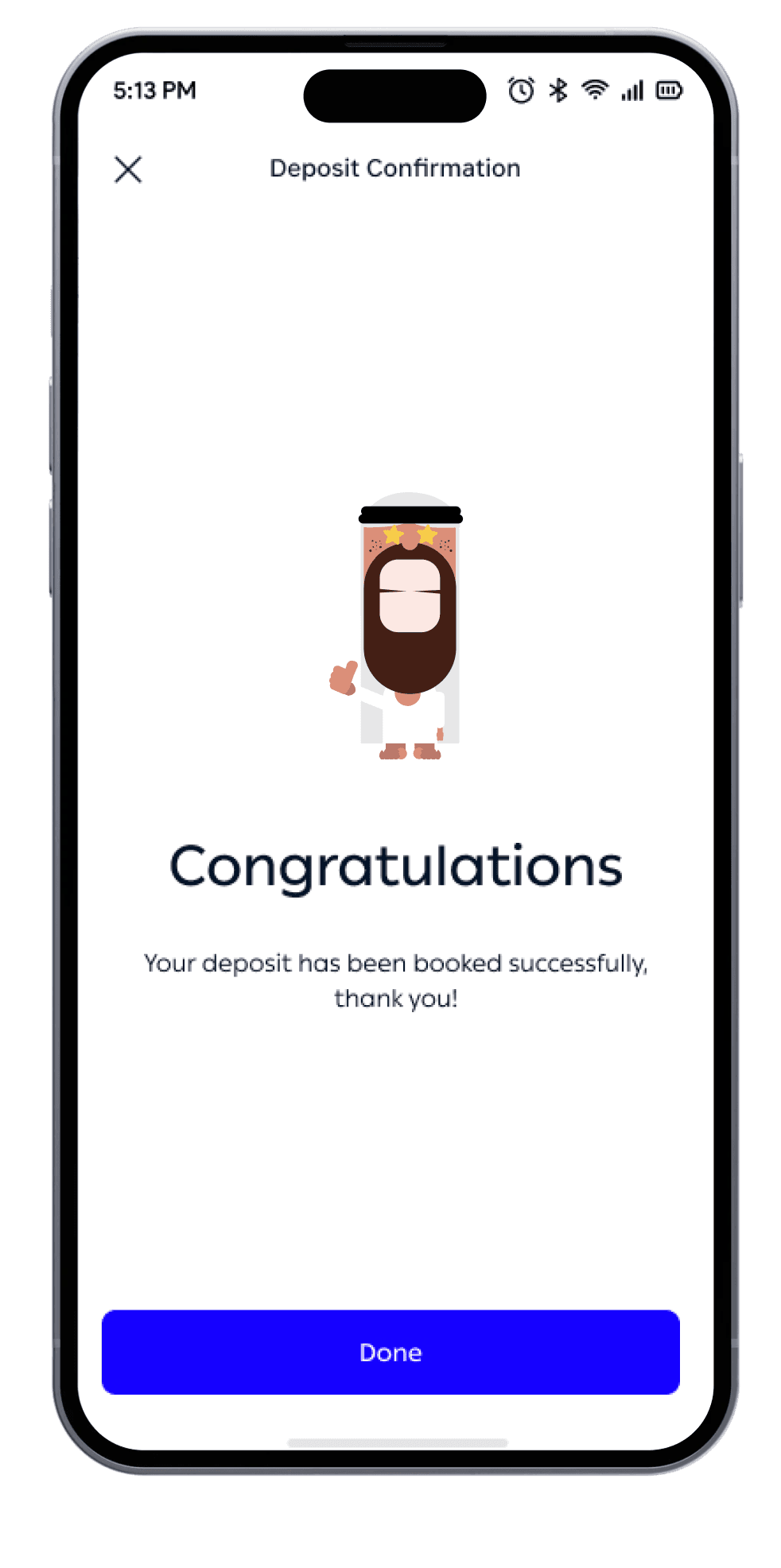
Keep the animation short and allow the confirmation state to remain visible.
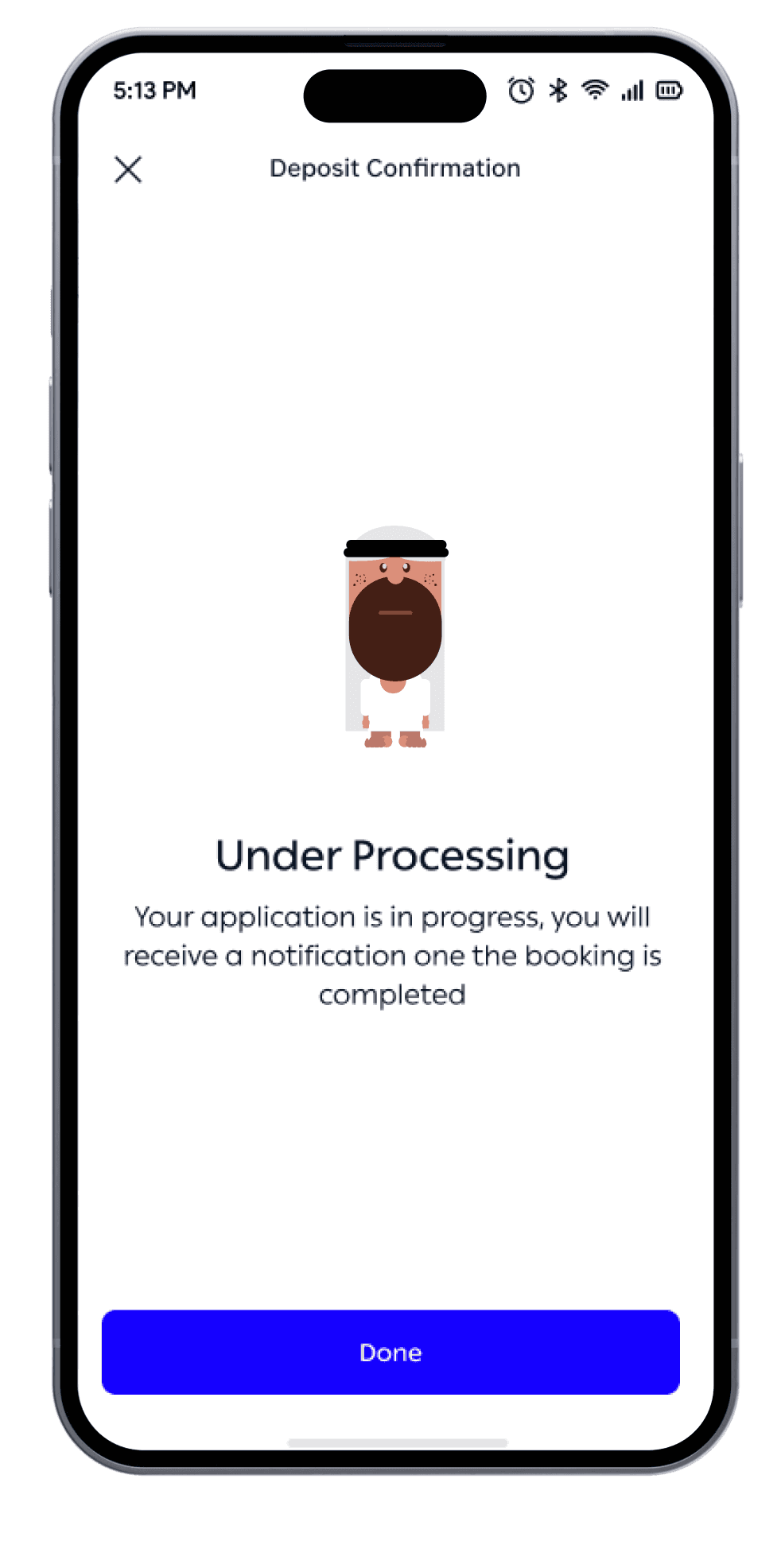
The animation transitions into a persistent processing state rather than looping indefinitely without context.
Starting too early could imply that the transaction has already been processed.
Users shouldn’t have to wait for an animation before understanding the result.
Users need reassurance that the system is still working.
Instead of designing individual animations, we created a state-based motion system.
The final motion system was integrated into the banking application across relevant transaction experiences.
Can expect major improvement in engagement with success-state interactions
Additional qualitative improvements included:
Clearer transaction feedback
Stronger sense of system responsiveness
Better recognition of payment states
More consistent interaction language
Reusable motion patterns across banking journeys
More polished and human banking experience
Uncertainty → Repeated actions → Anxiety → Support queries
Stakeholder Interviews
Explore faster
Workflow Mapping
Prototype & refine
Competitive Analysis
Keep design in control
SME owners, finance managers, operations, and compliance teams
Generated multiple visual concepts, character directions, and motion ideas in less time.
Onboarding, cards, payments, transactions, and reconciliation
Used AI to visualize concepts and test different emotional and motion directions before production.
Wise Business, Brex, Ramp, Airwallex, and Mercury
AI supported exploration, while UX decisions around interaction, accessibility, hierarchy, timing, and banking constraints remained designer-led.
Processing
Visual language: Continuous / looping
Purpose:
“Your transaction is still being handled.”
Success
Visual language: Expansion + confirmation
Purpose:
“Your transaction has completed successfully.”

Failure
Visual language: Controlled interruption
Purpose:
“Something needs your attention.”

System feedback → Understanding → Confidence → Completion

Payment State
User Question
Design Opportunity
Initiating
“Did it start?”
Provide immediate acknowledgement
Processing
“What’s happening?”
Show clear system feedback
Success
“Did it work?”
Provide confident confirmation
Failure
“What went wrong?”
Explain + provide recovery
Recovery
“What should I do?”
Provide an obvious next action
Decision:
Decision:
Decision:
Impact
Reason:
Reason:
Reason: